
How do I manage my subscription?Updated 8 hours ago
You can cancel your Ultra subscription anytime from your account. It takes a few minutes, and nothing changes until you confirm on the last screen.
To start:
1. Go to the SUBSCRIPTIONS PORTAL and log in with the email you used to order.
2. Click Manage Subscriptions, then choose Cancel subscription.
Here’s what you’ll see next.
Step 1: Skip instead?
You can skip your next order for 2 weeks or 1 month instead of cancelling. Pick one and click Skip next order, or click Continue to keep cancelling.

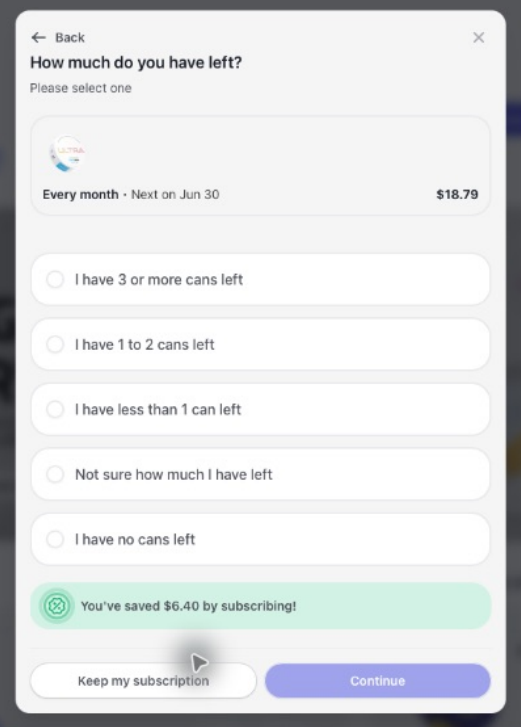
Step 2: How much do you have left?
Pick how many cans you have: 3 or more, 1 to 2, less than 1, not sure, or none, then click continue.
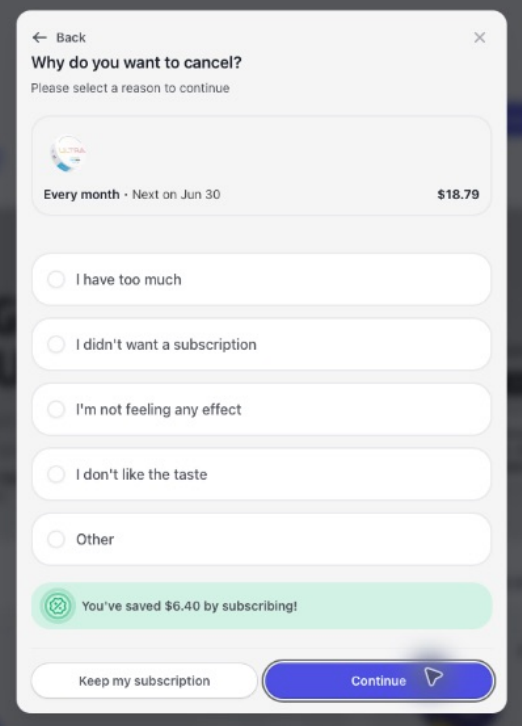
Step 3: Why are you cancelling?
Pick the main reason: you have too much, you didn’t want a subscription, you’re not feeling any effect, you don’t like the taste, or something else, then click Continue.
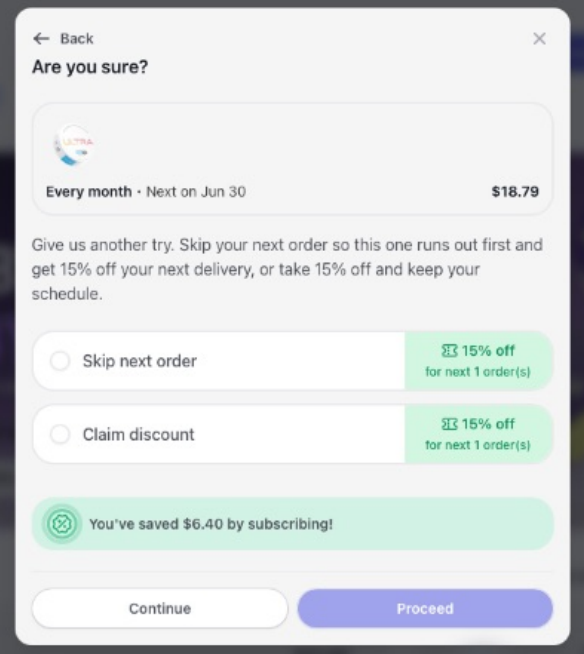
Step 4: An offer based on your answers
Depending on what you picked, you may see options like:
- Skip your next order and get 15% off your next delivery
- Take 15% off your next order and keep your schedule
- Swap to a different flavor, with 15% off your next order
Pick one and click Proceed, or click Continue to keep cancelling.
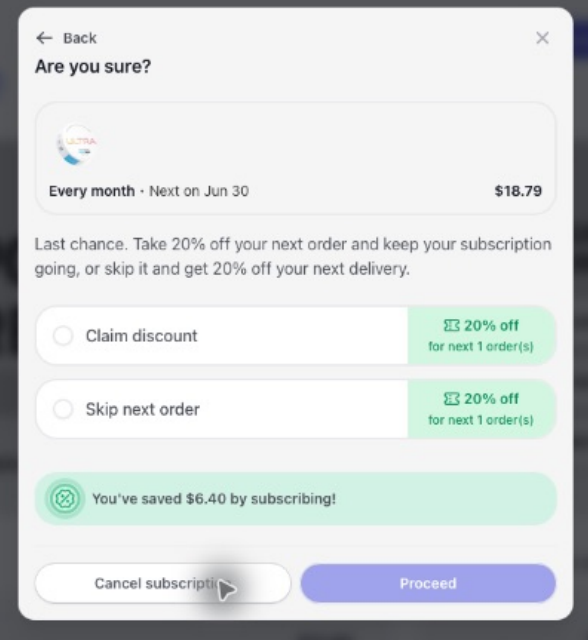
Step 5: One last offer
You may see a final offer: 20% off your next order, or skip it and get 20% off your next delivery. To keep going, click Cancel subscription.
Step 6: Confirm
Click Cancel now to confirm.
That’s it. You’ll see “Your subscription has been cancelled,” and no more orders will ship. You can resubscribe anytime.
Changed your mind partway through? Click Keep my subscription on the question screens, or just close the window. Your plan stays as it is.
Trouble logging in or finding your subscription? Email [email protected] and we’ll help.